New: April 2026 Xbox Game Pass Update (Important)
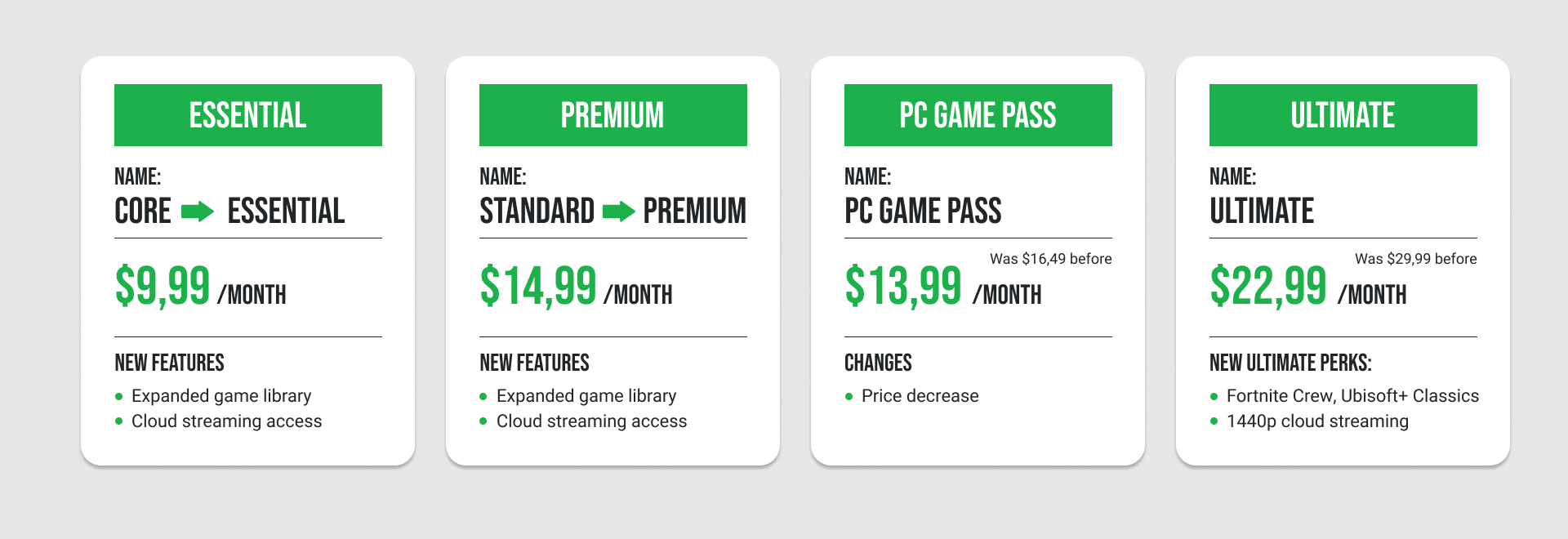
Microsoft has introduced new pricing changes and content updates to Xbox Game Pass starting on the 21st of April 2026. Game Pass Ultimate is now reduced from $29.99 to $22.99 per month, while PC Game Pass drops from $16.49 to $13.99 per month (prices may vary by region).
At the same time, Microsoft confirmed a major content change: future Call of Duty titles will no longer launch day-one on Game Pass Ultimate or PC Game Pass and will instead be added approximately one year after release during the holiday season. Existing Call of Duty titles already in the library will remain available. Despite these changes, Ultimate subscribers still receive hundreds of games, cloud gaming, multiplayer access, and day-one releases for most Xbox first-party titles.
To understand why these updates matter, it helps to look at what happened just a few months earlier. In October 2025, Microsoft shook up Xbox Game Pass like never before. Tier names changed, features moved between plans, and the Ultimate subscription saw a significant price increase at the time.
Naturally, gamers everywhere are asking the same question: is Game Pass still worth it?
Whether your subscription suddenly looks unfamiliar or you're trying to figure out which plan gives you the best value for money, this guide breaks down exactly:
-
what changed
-
what each Xbox Game Pass tier now offers
-
and which subscription fits your gaming style
Key Changes to Xbox Game Pass
Important: On April 21, 2026, Xbox updated Game Pass pricing in select regions (including the US):
-
Ultimate decreased from $29.99 → $22.99 per month
-
PC Game Pass decreased from $16.49 → $13.99 per month
-
Essential and Premium kept their prices, but gained additional features
-
New Ultimate perks added: Fortnite Crew, Ubisoft+ Classics, and 1440p cloud streaming
-
Changes applied to new members from October 1, 2025, and existing subscribers from November 4, 2025
Additionally, starting in 2026, new Call of Duty titles will no longer be available on Game Pass at launch and will instead arrive approximately one year later during the holiday season.
Tip: If you’re coming from the older system, this breakdown of Xbox Game Pass Core explained helps clarify what’s exactly included.
What Are the New Xbox Game Pass Streaming Tiers in 2025?
You’re probably wondering: what exactly are the new Xbox Game Pass tier names?
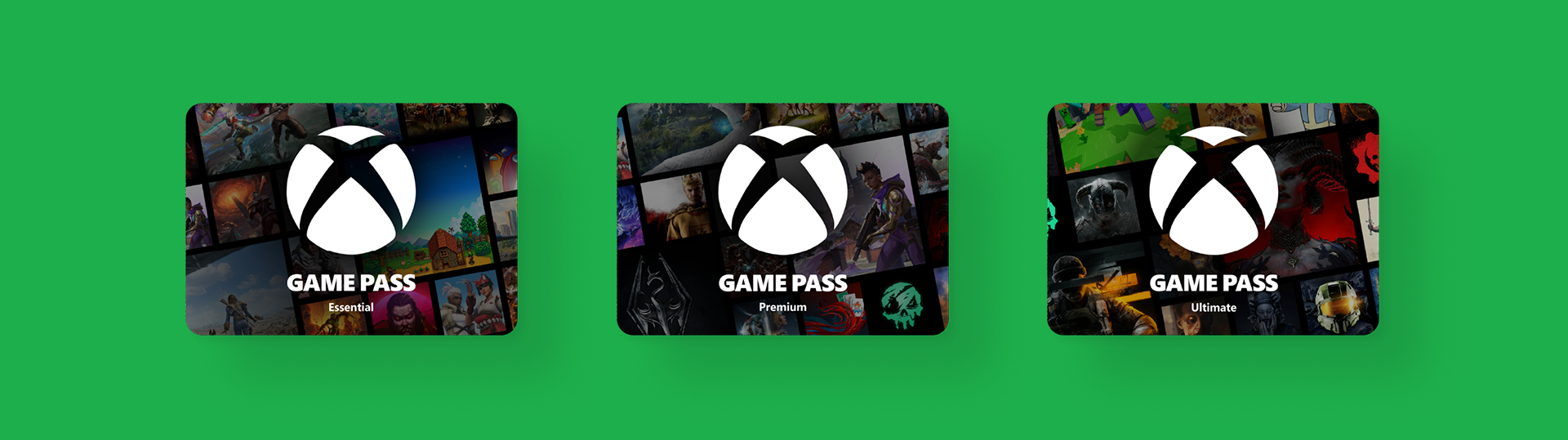
Here’s a quick overview of the updated lineup:
- Essential
- Premium
- Ultimate
- PC Game Pass (for Windows players only)
If you were already subscribed, your plan migrated automatically:
- Game Pass Core → Essential
- Game Pass Standard → Premium
Note: Pricing varies depending on where you live.
Xbox Game Pass Tiers Explained: What Each Plan Includes (and What It Doesn’t)
Next, we ́ve seen many questions and confusion around the new tiers. Now let’s look at what each Xbox Game Pass tier actually includes.
Note: As of April 2026, new Call of Duty titles are no longer available on Game Pass at launch. Instead, they are expected to be added around one year later (typically during the holiday season). Existing Call of Duty titles remain available, and other Xbox first-party games still launch on Game Pass day one.
1. Essential Tier: $9.99 per Month
The Essential tier is the entry-level plan and replaces the old Game Pass Core subscription. It offers more value than Core used to, making it a solid starting point for casual players.
What’s Included:
-
Online multiplayer on the Xbox console
-
A curated library of 50+ games
-
Access to cloud gaming and PC titles
-
In-game perks and the Xbox Rewards system
Not Included:
-
Day-one game releases
-
EA Play
-
Ubisoft+ Classics
-
The full 400+ game Game Pass library
Best for:
- Players who mainly want online multiplayer and a smaller rotating game library at the lowest price.
2. Premium Tier: $14.99 per Month
The Premium plan replaced the former Standard tier. It kept the same price but gained a much larger game library, with 200+ games available.
For many players, this is the best balance between price and content.
What’s Included:
-
Everything in Essential
-
200+ games across console, PC, and cloud
-
Unlimited cloud gaming
-
Xbox-published titles added within about 12 months of launch
Popular titles often included in the library:
-
Minecraft
-
GTA V
-
Diablo IV
-
Hogwarts Legacy
Not Included:
-
Day-one releases
-
EA Play
-
Fortnite Crew
-
Ubisoft+ Classics
Best for:
- Players who want a large library across console and PC, but don’t need new releases on day one.
3. Ultimate Tier: $22.99 per Month
The Ultimate tier received the biggest changes in the 2025 Xbox Game Pass update. It also sparked the most debate in the gaming community due to the large price increase.
What’s Included:
-
Everything in Premium
-
400+ games
-
75+ day-one releases each year
-
All Xbox first-party titles at launch
-
EA Play
-
Fortnite Crew
-
Ubisoft+ Classics
-
Cloud streaming up to 1440p
Here's a quick value Breakdown:
-
EA Play: ~$4.99/month
-
Fortnite Crew: ~$11.99/month
-
Ubisoft+ Classics: ~$7.99/month
That’s roughly $25 per month in bundled services before counting the game library. So for players who actually use those perks, Ultimate can still offer strong value.
4. PC Game Pass: $13.99 (before: $16.49) per Month
The PC Game Pass is a standalone subscription designed specifically for Windows PC Players.
What’s Included:
-
Full 400+ PC game library
-
Day-one Xbox releases
-
EA Play
-
Ubisoft+ Classics
Not Included:
-
Xbox console multiplayer
-
Fortnite Crew
Best for:
- Players who only game on PC.
Which Xbox Game Pass Tier Should You Choose?
To be honest, choosing the right Xbox Game Pass tier for you mostly depends on how you play. Here is an overview of all subscriptions in one place that can help you decide which option suits you best.
Essential plan:
Best if your main goal is online multiplayer and a smaller game selection.
Premium plan:
Best if you want a large library across console and PC.
Ultimate plan:
Best if you want day-one releases and premium perks.
PC Game Pass plan:
Best if you only play on Windows PC.
Note: Many players prefer prepaid Xbox Game Pass gift cards instead of automatic monthly billing.
Why? Because prepaid codes give you more control.
But if you’re currently subscribed and thinking about switching to prepaid, you might first want to cancel your existing plan properly. In that case, check out this step-by-step guide on How to Cancel Your Xbox Game Pass Subscription to avoid unwanted charges.
Is Xbox Game Pass Still Worth It After the Price Increase?
The October 2025 update made the Essential and Premium tiers a better value than before.
Why? Because they kept their prices but gained additional features.
The bigger question is: is the Ultimate, which now costs $10 more per month, still worth the money?
For players who regularly:
-
try new games on release
-
stream games via cloud
-
use EA Play or Fortnite Crew
the bundled value can still make sense.
For more casual players, Premium might offer a better deal.
Example (referring to November 2025 prices):
If a new game costs about $70, then playing just one Day One release every 3 months already equals about $23 per month in game value. Add services included in Ultimate like EA Play (about $6/month) and Fortnite Crew (about $12/month), and the total value reaches roughly $41 per month.
The Easiest Way to Start or Extend Xbox Game Pass
(Without Auto-Renewal)
Once you’ve chosen the Xbox Game Pass tier that fits your gaming style, the next step is how you want to subscribe.
Many players prefer prepaid Xbox Game Pass gift cards instead of automatic monthly billing to extend their existing subscription before prices increase again.
Why? Because prepaid codes give you more control.
With Xbox Game Pass gift cards, you can:
-
avoid automatic renewals
-
pay only for the time you want
-
stack multiple subscriptions
-
lock in your current price before future increases
For example, you can currently stack:
-
Ultimate up to 36 months
-
Premium up to 13 months
This means buying prepaid Game Pass codes today could let you keep the current pricing for years. So if you’ve decided which tier works best for you, the easiest way to start playing is with an Xbox Game Pass gift card!
On dundle, you can buy Xbox Game Pass gift cards instantly and activate them on your account within minutes.
The benefits of buying Game Pass codes on dundle:
-
Instant digital delivery
-
Multiple currencies available
-
Pay without a credit card
-
Perfect for stacking subscriptions
-
No automatic billing
Choosing the Best Xbox Game Pass Plan Made Easier
Whether you’re a casual player looking for affordable online multiplayer or a dedicated gamer who wants access to the latest releases on day one, there’s an Xbox Game Pass plan to match your needs and budget. And with prepaid cards, you can have your budget under control, while enjoying your favourite titles!